





Book a demo
COMPUTER VISION FOR MANUAL WORK IN MANUFACTURING

One camera. Every action. Every deviation.

Operator Vision captures every action at a manual station and flags speed deviations, quality deviations, and the actions that put production at risk. The operator gets guidance in real time. Engineering gets visibility across every station and every shift.

Book a demo
Missed Steps
Wrong parts
Slow Cycles
Bottlenecked Line
Role router

Start where you sit

  • Quality

    The missed step, caught and fixed at the bench instead of at final test

  • Continuous improvement

    Cycle times for every step, without running a study.

  • Operations leadership

    Every station and every shift on one screen

  • Operators and production managers

    New operators up to speed faster, and your best method becomes the standard

Problem

The floor doesn’t run the way the work instructions say it does

Not because your operators are careless. Because every operator finds their own way through a build, and nobody can stand at every station and watch.

So the gap opens quietly. A step gets skipped. An inspection that should take three seconds takes one. A left-hand part goes into a right-hand box. You find out at final test, or your customer finds out for you.

Whichever job you hold, the same blind spot costs you something different.

Continuous improvement
Loses the data
Quality
Finds out too late
Operations
Loses the hours
Products

Every cycle checked

Assembler AI builds Operator Vision, a computer vision platform for manual work in manufacturing. One camera, one platform, four modules reading the same feed

  1. Real-Time Quality Alerts

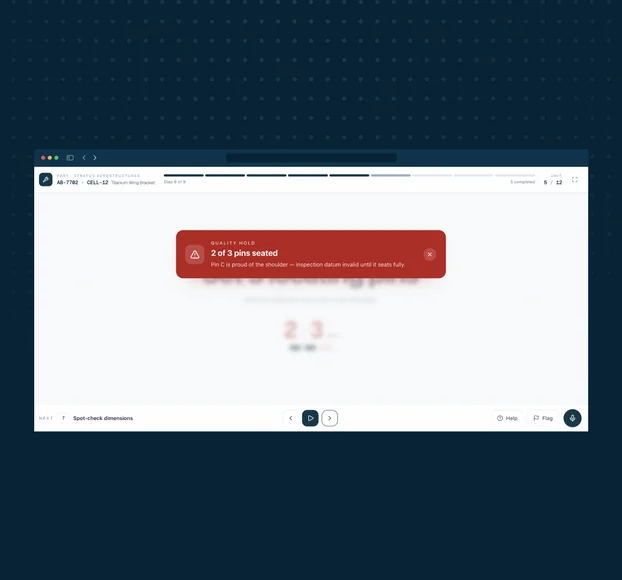
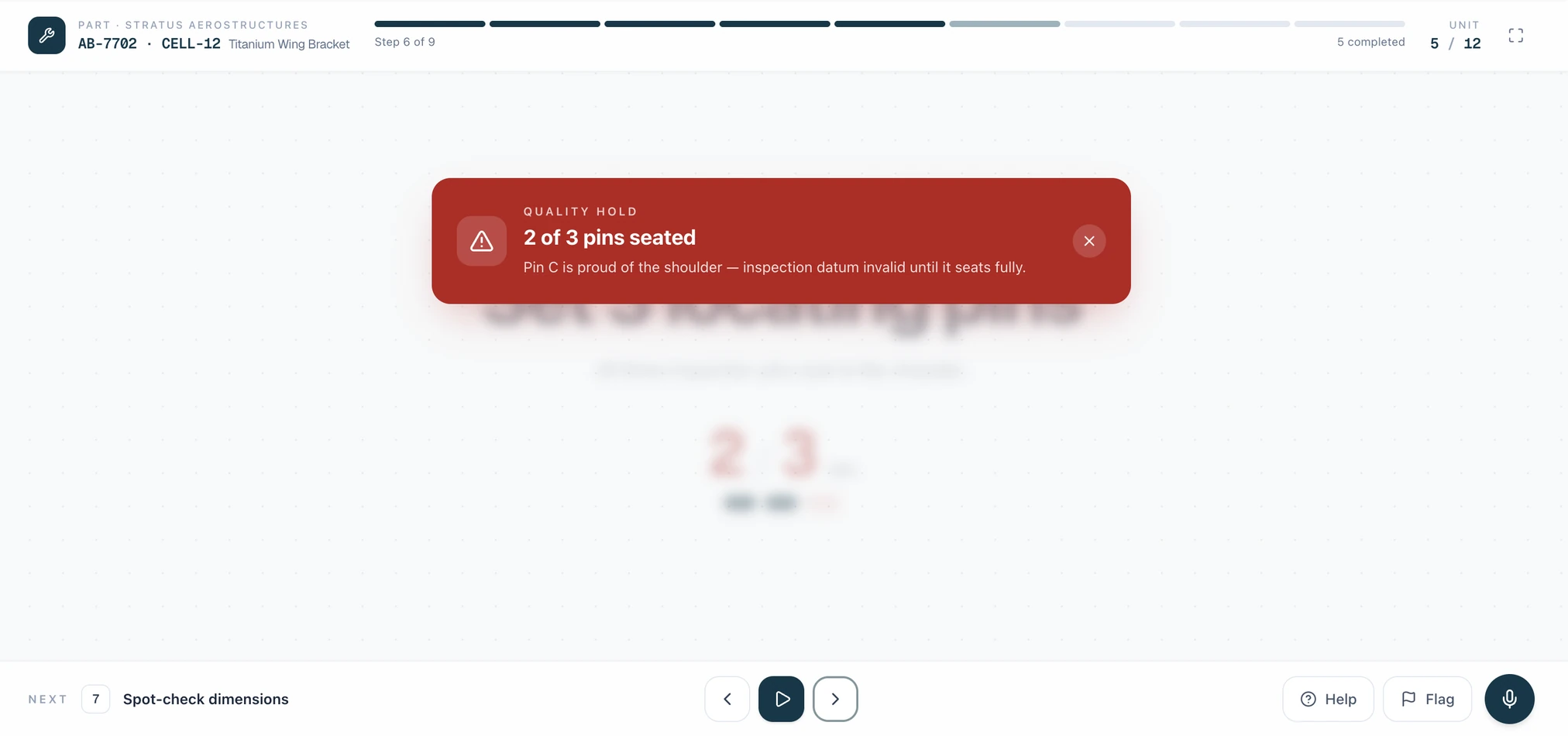
    A missed step, a wrong part, or a broken sequence, flagged the moment it happens, with the video attached.

    Explore
  2. Continuous Improvement Insights

    Step-level cycle times across every station, shift, and step, with video on every outlier.

    Explore
  3. Real-Time Operator Guidance

    Sequence and correction at the bench, while the piece is still at the station.

    Explore
  4. Real-Time Risk Detection

    Flags the actions that put production at risk. A part off the floor, a step into the wrong zone, a piece where it doesn't belong.

    Explore
  • Operator station display with live step guidance
How it works

One camera, your existing work instructions, live in two weeks

  1. [ Day 1 ]

    Send your work instructions

    You send the work instructions you already have. Operator Vision reads them and learns the steps, tools, and parts for that station.

  2. [ Week 1 ]

    Install the camera

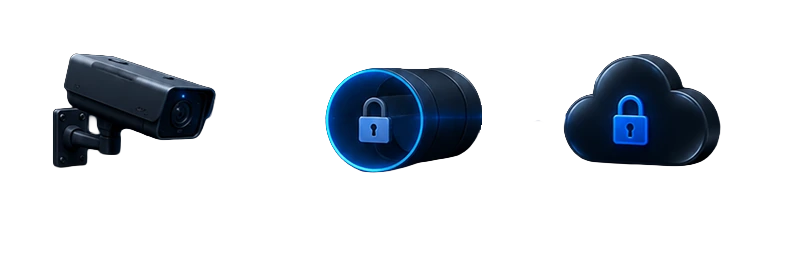
    The camera goes up with NDAA-compliant hardware Assembler AI supplies and provisions. Nothing about the line changes. The camera sits on its own subnet and streams out over an encrypted VPN, so the only thing your IT team has to open is one outbound path.

  3. [ Week 2 ]

    Calibrate the system

    We calibrate and train the system on your alerts. Operator Vision records and we work through anywhere the footage and the document disagree.

  4. [ Day 15 ]

    Go live with alerts

    Alerts go live against a standard everyone in the room signed off on. From that day you have step-level data on every cycle and every shift.

Built for four people on your floor

Read your lane, not the page

For Quality

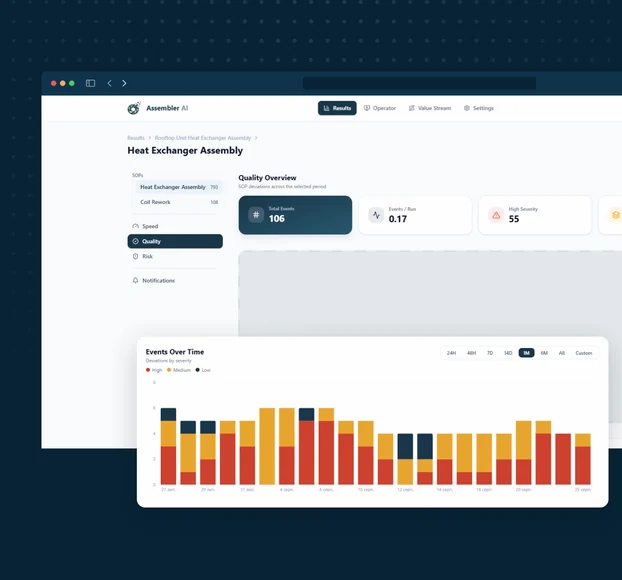
Operator Vision quality dashboard

The missed step,
caught and fixed at the bench

You don't find out something was skipped until the end. By then it's a rework loop, a batch to sort, or a call from a customer who found it first.

Most of it starts with a hand. The American Society for Quality puts the cost of quality failures at around fifteen percent of revenue, and on manual lines the largest share of that traces back to execution rather than to suppliers or design.

Operator Vision checks sequence and execution on every cycle. Missing components, steps run out of order, wrong part, wrong tool, wrong label on the carton, a left-hand part going into a right-hand box. Operator Vision also enforces the checks that get short-changed when parts stack up: minimum inspection dwell time, no skipped gauge check.

When something fires, the alert reaches the bench first, so the operator gets the chance to fix it while the piece is still at the station. You get the video attached. Root cause analysis that used to hold a room until eight at night resolves in minutes.

Feature: work instruction adherence checks and deviation rules with video evidence
For Continuous Improvement

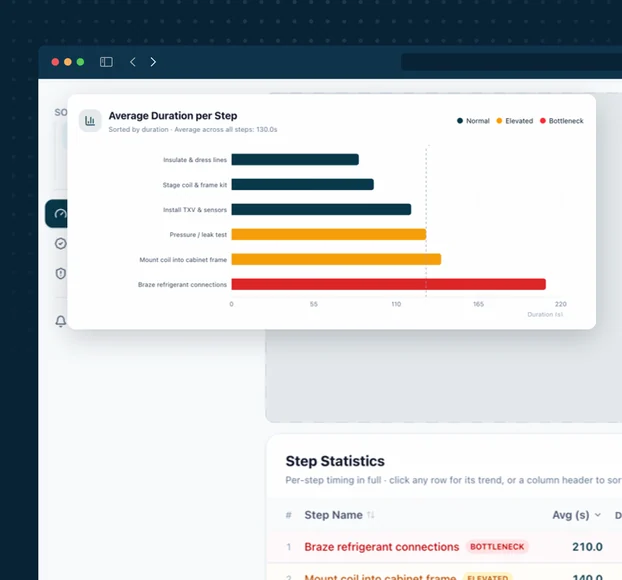
Cycle time results dashboard

You can't be everywhere at once. Operator Vision can.

Dozens of stations, multiple shifts, and one of you. You already know which station is the bottleneck. What you don't have is the coverage to prove it, or the weeks it takes to study it properly with two people, one working and one watching.

And the study lies anyway. The moment an operator knows they're on the clock, the work changes: pace, sequence, sometimes even the PPE. It takes about a week of the camera just sitting there before the data starts describing the job rather than the audit.

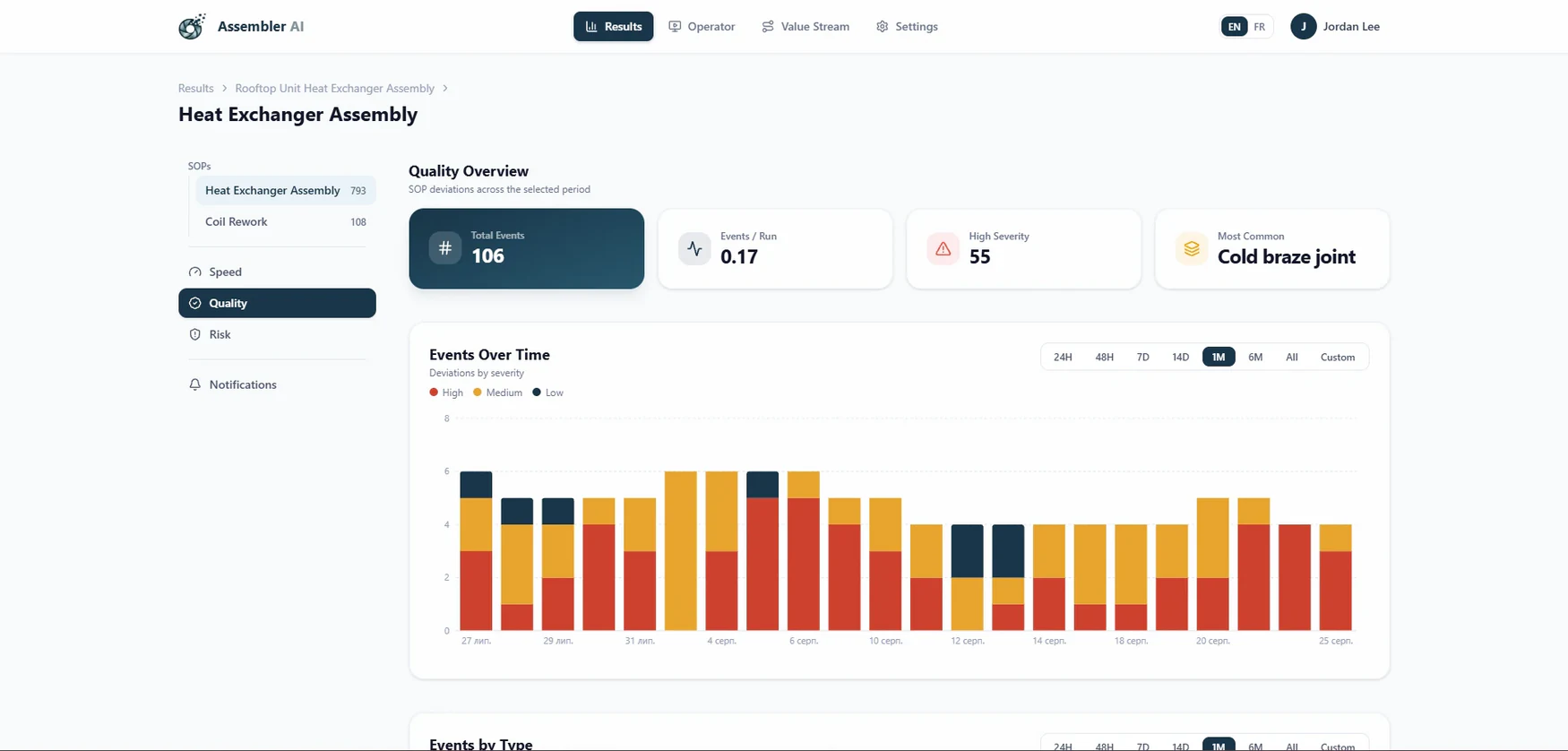
Operator Vision runs a continuous time study on every station it watches. Average, minimum, and maximum time per step, sliced by step, shift, and station, with video attached to every outlier. That thirty-minute cycle stops being an investigation and becomes a click.

Assembler AI builds to a simple target: give a continuous improvement engineer back half the time they currently spend on manual studies.

Feature: step-level cycle time dashboard with linked video evidence

For Operations Leadership

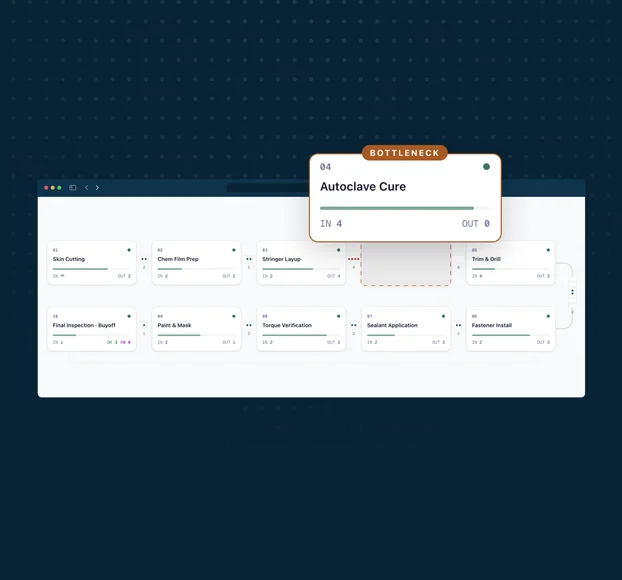
Value stream analysis across stations

Every station and every shift on one screen

Your reporting refreshes overnight and tells you what already happened. Nothing tells you where the work is sitting right now.

Most plants know their build time and their flow time, and know the gap between them is mostly waiting. What almost nobody has is the step-level detail underneath: which station the queue forms at, which step drifts, and on which shift.

Operator Vision gives you flow and execution data across every station it watches, live, with the ability to compare shifts, cells, and stations against each other. You find out which line is genuinely fastest, and why, with evidence rather than anecdote.

Operator Vision also flags the moment someone does what the procedure says not to. A part picked up off the floor in a clean room, a step into a zone that should stay clear, a piece set down where it doesn't belong. The alert reaches your supervisors with the video attached, so catching it stops depending on who happened to be walking past.

The same data answers the question finance asks. Scrap and rework carry a shop rate, and every one of them ties back to the specific step that produced it.

Feature: cross-station dashboards with shift comparison and do-not-do alerts

For Operators & Managers

Operator station display with live guidance

New operators up to speed faster, and your best method becomes the standard

A new hire takes months to build at the rate of your most experienced operator, and most of that time is spent learning by correction after the fact. Operator Vision puts the guidance at the bench instead, so the feedback arrives during the build rather than at a review weeks later.

It works the same way for the method itself. When one operator consistently runs a step faster and cleaner than everyone else, you can see exactly how, and that becomes the standard everyone learns.

Operator Vision puts guidance on a screen at the station: live step guidance, and a way to flag a missing part or a bad tool straight to engineering. If your floor has opinions about what belongs on that screen, that is exactly the conversation we want.

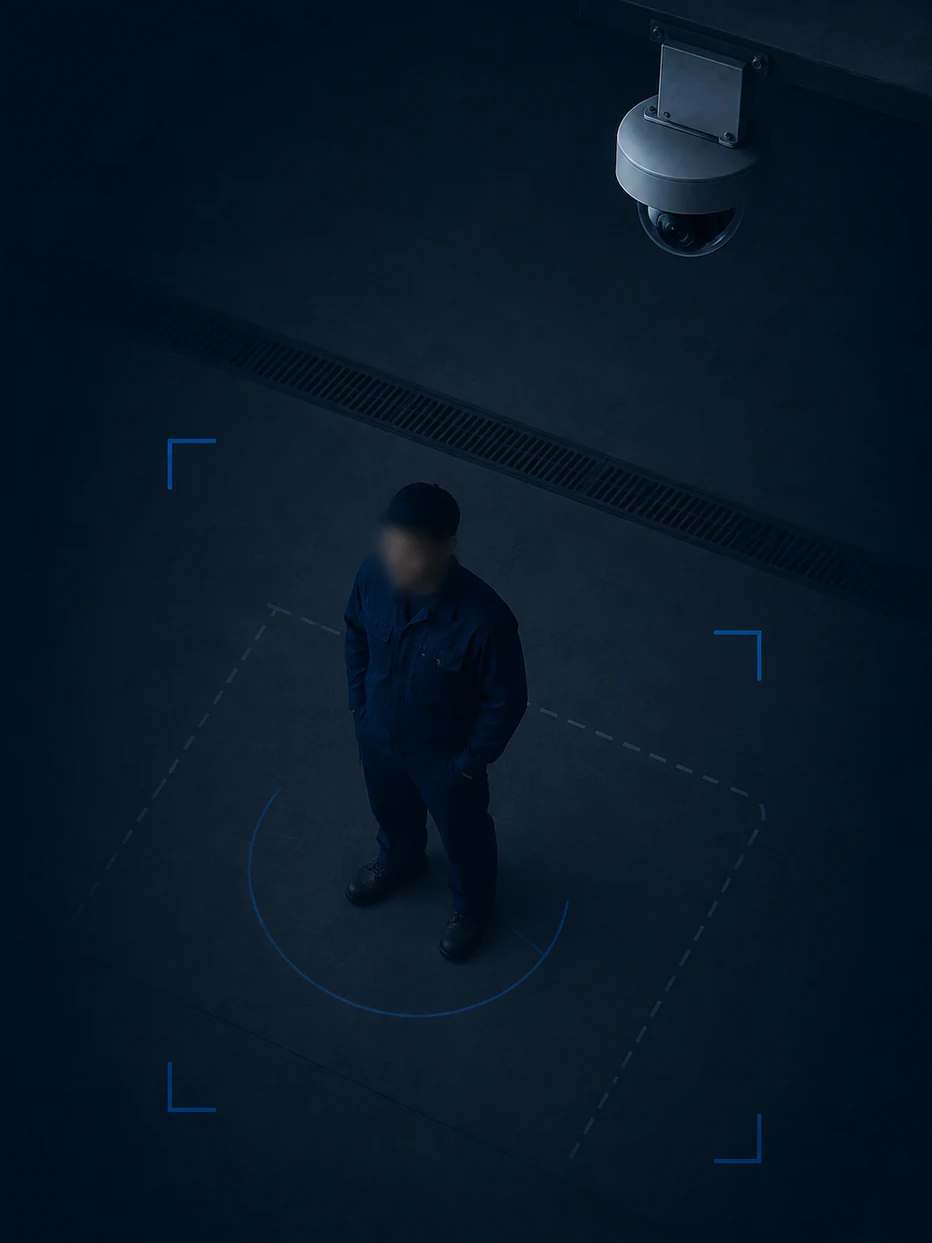
The camera reads the work, not the worker. Faces are blurred by default. We don't collect operator names or IDs by default, and we don't sell an employee monitoring tool. The analysis runs on the process, and the data comes back tied to a station and a shift, not to a person.

The footage protects your operators too. When a defect surfaces three stations down, the operator who did the job right has the record. When the work instructions are wrong and the operator found the better way, the video is the argument.

Feature: operator station display with real-time guidance and voice notes

The missed step,
caught and fixed at the bench

You don't find out something was skipped until the end. By then it's a rework loop, a batch to sort, or a call from a customer who found it first.

Most of it starts with a hand. The American Society for Quality puts the cost of quality failures at around fifteen percent of revenue, and on manual lines the largest share of that traces back to execution rather than to suppliers or design.

Operator Vision checks sequence and execution on every cycle. Missing components, steps run out of order, wrong part, wrong tool, wrong label on the carton, a left-hand part going into a right-hand box. Operator Vision also enforces the checks that get short-changed when parts stack up: minimum inspection dwell time, no skipped gauge check.

When something fires, the alert reaches the bench first, so the operator gets the chance to fix it while the piece is still at the station. You get the video attached. Root cause analysis that used to hold a room until eight at night resolves in minutes.

Feature: work instruction adherence checks and deviation rules with video evidence
Operator Vision quality dashboard
Industries

Where the cost lands hardest

Four industries where high-value work runs through human hands

  • Aerospace and defense

    Zero tolerance, redundant inspection, and a backlog your executives ask about weekly.

    See aerospace
  • Automotive components

    Your customer catches everything, so every escape is a complaint by Tuesday.

    See automotive
  • Medical devices

    High-sensitivity parts built under GMP, where a piece off the floor never goes back on the line.

    See medical devices
  • HVAC

    High mix, thin margins, configurations that change by the order.

    See HVAC
Workstations

Any station where the work is done by hand

  • 01Assembly

    Sequence, fasteners, missing components, wrong part.

    See assembly
  • 02Inspection

    Dwell time, both sides of the part, automatic scrap and pass counts.

    See inspection
  • 03Injection molding

    Sprue cut, inspect, bag, label, correct box, every cycle.

    See injection molding
  • 04CNC machining

    Setup, tool change, orientation, measurement, deburr, final check.

    See CNC
Proof

What the numbers say

90%+
step-labeling accuracy on a live customer station
50–70%
of scrap traced to operator error at high-mix, low-volume manufacturers
15–30%
of throughput lost to drift from the standard
2 wks
from work instructions to a live station, the commitment Assembler AI makes on every deployment
Mission

Built to accelerate North American manufacturing

The highest-value goods on the continent get built by hand: aircraft assemblies, medical devices, vehicle components. That work stays in North America on precision and speed, and both live at the workstation. Every station that runs closer to its standard is an argument for building here

Trust and security

Built to clear your IT review

Your data, your terms

Video streams over RTSP inside an encrypted VPN tunnel, and everything at rest is AES-256 under a customer-managed key issued per tenant. Logically isolated per customer, owned by you. Default retention is twelve months, you can set your own, delete earlier, or export at any time.

US and Canadian regions

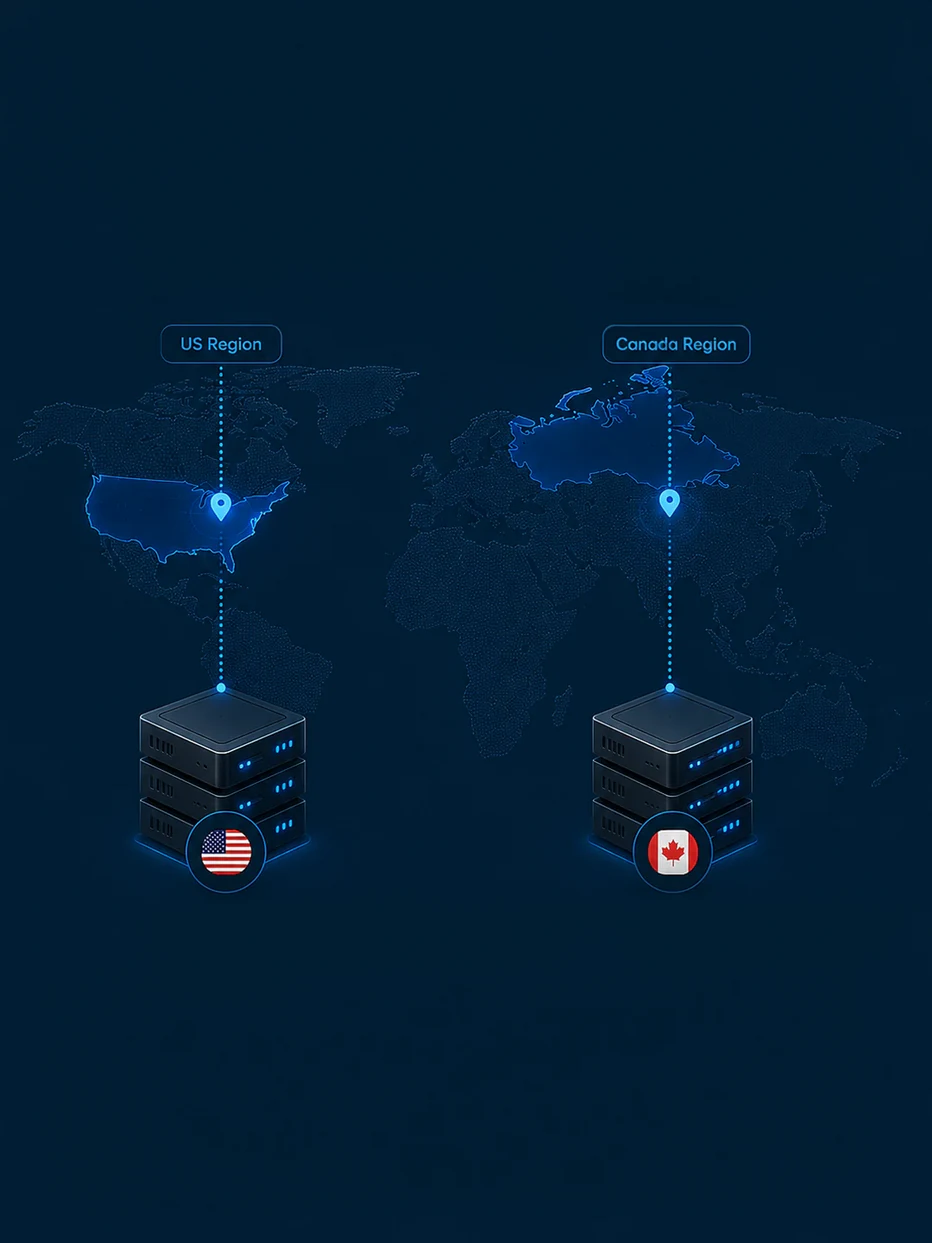
US or Canadian data residency, your choice

You pick the region at deployment. Production data lives there and stays there.

NDAA-compliant camera

Hardware that survives a security review

NDAA-compliant cameras, with no restricted foreign-made surveillance equipment in the stack.

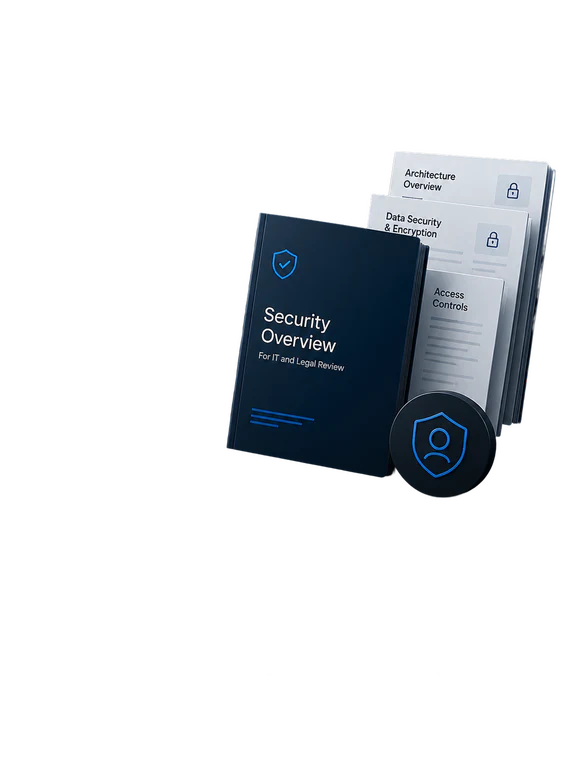
Security overview documents

Documentation written for reviewers

Our security overview goes to IT and legal, not to marketing.

Request it
Camera above the shop floor

Unionized environments

Operator Vision runs in unionized plants, with faces blurred and no tracking of individual operators. Assembler AI supports the conversation with your union representatives so everyone sees the same thing before the camera goes up.

Scale

Start with one station. The data gets more valuable with every one you add

Nobody instruments a whole plant on a vendor’s promise. So you start small, with one station, on the bench that’s costing you most. Two weeks later you have step-level data on your own parts, your own operators, and your own work instructions. That’s a small commitment, and it answers the only question worth asking at the start, which is whether this works on your floor rather than in a demo.

What happens after is the part worth understanding before you begin. This data is comparative, which means every station you add makes the ones you already have more useful. The second station is worth more than the first. The tenth is worth more than the second.

  • One station

    You learn how the work actually happens against how it's written. Step times, the deviations nobody logged, and the ghost steps in your work instructions that no operator has performed in years. On its own that is usually enough to justify the station.

  • The line

    Now you can compare benches running the same work. Variance between operators and between shifts stops being anecdote and becomes a number with video behind it. You find the real constraint, and sometimes you find out it isn't the station everyone assumed.

  • The factory

    Shifts and cells become directly comparable. Why the night shift takes three times as long. Which cell recovers fastest after a changeover. When you make a process change, you can measure it against how that station ran the week before rather than against an impression.

  • Across sites

    The same work in two plants becomes comparable for the first time. Why the same station takes fifty percent longer in one plant than another, with video from both. The best method anywhere in your group becomes the standard everywhere, backed by footage of somebody actually doing it.

That last one is where the arithmetic changes. A single station gives you a number. A factory gives you a distribution. A group of plants gives you a benchmark no consulting study could produce, and unlike a study it keeps updating itself as your work changes. If you’re heading toward multiple sites, tell Assembler AI early and we’ll scope single sign-on, role-based permissions, and per-site data separation with your IT and HR teams while the first station runs.

Alternatives

How Operator Vision differs from what you’ve already tried

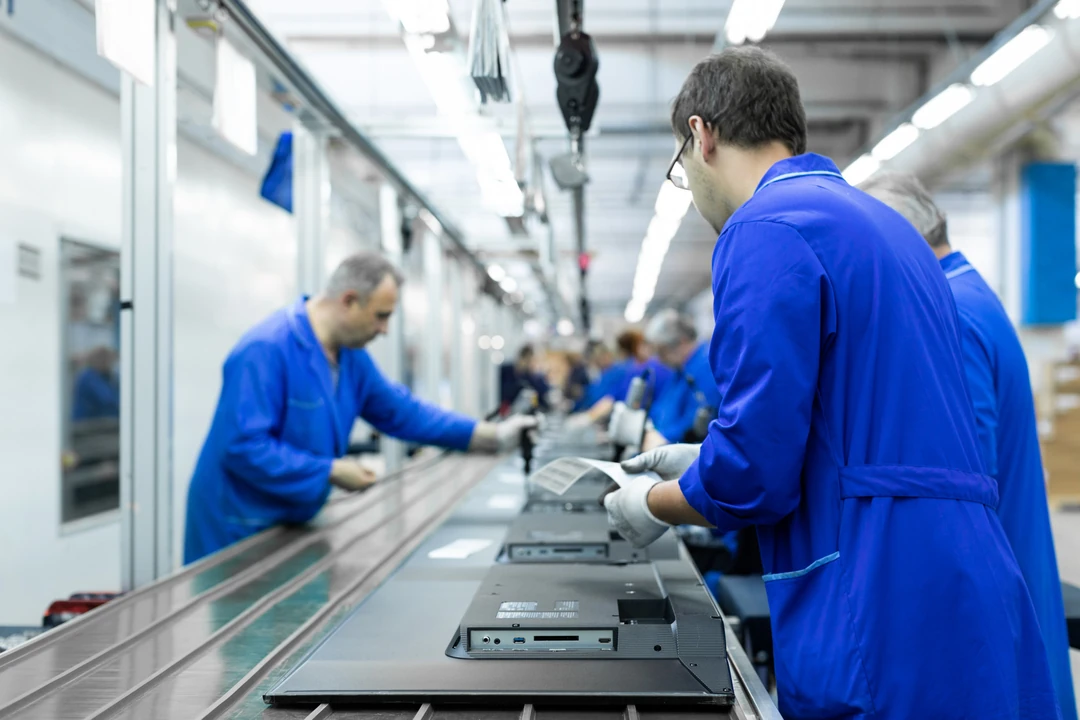
Operators along an assembly line
  • Gives you a snapshot of a handful of stations. Operator Vision runs continuously across all of them, with nobody standing there changing the number.

  • Depends on operator inputs, a tap, a click, or a keystroke, which means someone has to stop building to enter them. On long builds those minutes come straight out of the cycle. Operator Vision collects the same record without slowing the operator down.

  • Tells you a defect exists. Operator Vision tells you which step produced it.

  • Costs you the rework when you catch it at final test, and the account when your customer catches it first.

FAQ

Questions your team will ask

  • Two weeks from the day you send work instructions, on a station with one operator. Where several people work the same bench, plan for closer to three. Stations after the first go up in parallel, so a twenty-station rollout takes weeks rather than twenty times as long. Assembler AI supplies and provisions the camera kit, and nothing about the line has to change.

  • No. Operator Vision runs standalone and your work instructions are the only input. Assembler AI provides MES and ERP integrations when you want data flowing both ways.

  • We assume they might be. The first two weeks are calibration. We watch, compare the footage to the document, and settle the differences with your team before anything fires. What usually turns up are ghost steps, written instructions nobody has performed in years, alongside steps your operators do that the document never captured.

  • No. Faces are blurred, we don't collect operator names or IDs, and the analysis sits on the process. Operator Vision's station screen is designed the same way, with the feedback reaching the bench first.

  • You own it. Encrypted in transit and at rest and isolated per customer, with a default twelve-month retention you can lengthen, shorten, or export from at any time. Production data sits in a US or Canadian cloud region, and you choose which. Our security overview is written for your IT reviewers.

  • Yes, if the work happens by hand and a camera can see it. High-mix, low-volume builds are what Operator Vision was designed around. Send photos of the station and we'll confirm.

  • Operator Vision runs in unionized plants. Faces are blurred, no operator names or IDs are collected, and nothing tracks an individual operator. Agreements vary, so Assembler AI works through the conversation with your union representatives alongside you, and the deployments that go smoothly start with everyone in the room before the camera goes up.

  • Operator Vision handles most changes on its own, including lighting shifts and minor differences in parts. New work instructions or a complete layout change need additional training, which Assembler AI takes care of for you. New variants Operator Vision has to tell apart, a left-hand against a right-hand version, get taught the same way.

  • Continuous improvement and quality engineers live in the dashboards. Supervisors get the alerts. Operations leadership checks the cross-station view weekly. Operators use the station screen continuously.

  • Yes, and Assembler AI scopes deployments that way. Quality and risk alerts run independently of the productivity reporting, and you can leave productivity switched off.

Pick your worst station. We’ll start there

We walk your floor and sort the stations into three piles: speed problems, quality problems, risk problems. You pick where to start. Operator Vision goes live in two weeks, and inside the month you have the numbers on your own parts. Then you decide where it goes next.

No MES integration required and easily scales across your sites.