
Seven stations later is too late
By the time a missed step reaches inspection, the unit has been through seven more pairs of hands and no one remembers which one. Real-Time Quality Alerts checks every step against your work instructions on every cycle. When something is wrong, the operator is alerted while the piece is still at the station, and the fix costs a few seconds instead of a rework loop.
Live in two weeks. No MES integration required. Runs on the same camera feed as the rest of Operator Vision
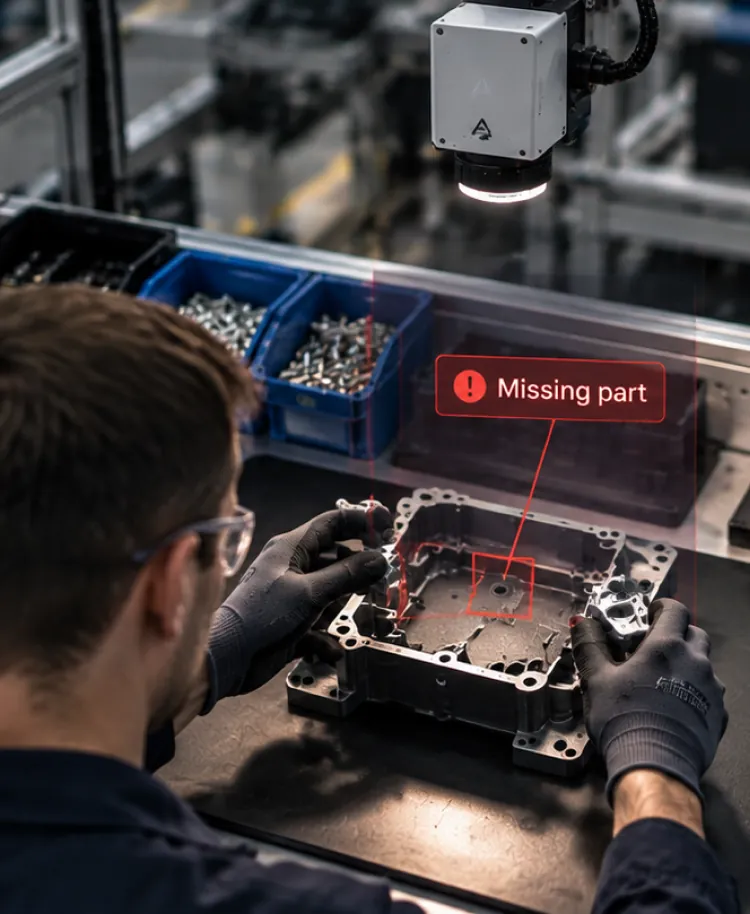
The defect is made in seconds and paid for in weeks
A component gets left out. A step happens in the wrong order. A gauge check gets skipped because the parts are stacking up. None of that is visible at the moment it happens, because nothing at a manual station records what happened. Between 50 and 70 percent of scrap at high-mix, low-volume manufacturers traces back to how the work was performed, rather than to suppliers or design. That is the single largest controllable cost on a manual line and the one no one has data on. The bill arrives in three parts. There’s the scrap, at whatever that part is worth by the time it fails. There’s the rework, which is skilled labor paid twice for one unit, plus the hours spent working backward through travelers and memory to find out which step caused it. And there’s the escape you don’t catch, which costs a customer relationship rather than a part. A defect takes seconds to make. Finding out why costs an afternoon, and the ones that reach your customer keep costing long after.
The to-do list
- Fit the bracket to the housing
- Torque four fasteners in sequence
- Gauge-check the bore
- Label and place in the outbound tray
Never written down. Never measured. Costs the most.
The do-not-do list
- Put a part back on the line after it hit the floor
- Cross the keep-clear zone with a finished panel
- Drop a defective unit into the good bin
- Leave a half-finished unit parked and come back to it
Written down. Trained on. Audited.
Every step, every cycle, against your work instructions
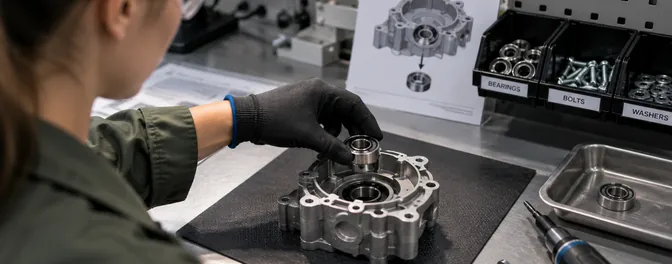
The step happened
Each step confirmed or flagged. Missing components and skipped operations surface at the bench rather than at final inspection.
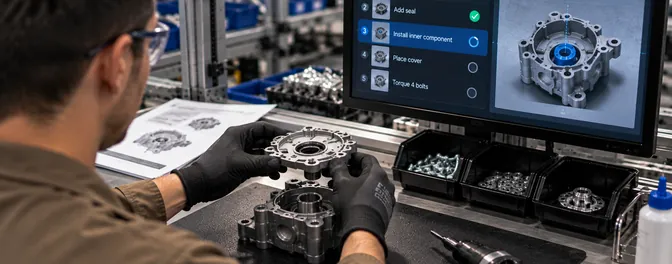
The order was right
Out-of-order builds break the rhythm of the whole station. A step taken early means another gets redone, and both the quality risk and the cycle time climb. They are also the builds most likely to pass inspection and fail later.
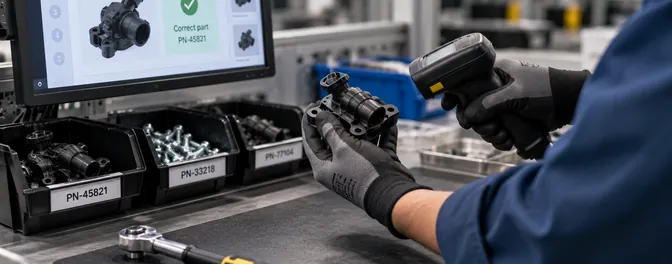
The right part and the right tool
Wrong variant, wrong fastener, wrong tool for the step, wrong label on the carton. Mirror-image parts going into the wrong box is the version of this that reaches customers most often.
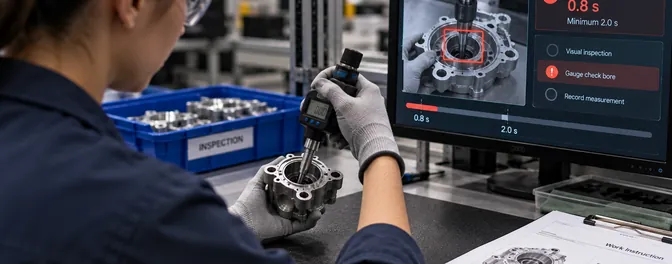
The checks that get short-changed
Minimum inspection dwell time, so an inspection run in one second doesn’t get counted as an inspection. Gauge checks that get skipped when work is piling up.
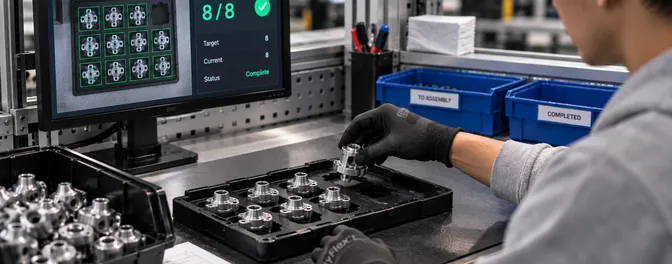
The count
How many screws went in, how many parts went into the bin, how many units went onto the pallet.
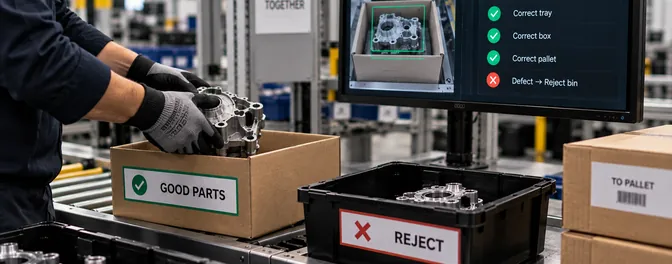
The finished unit went where it belongs
Correct tray, correct box, correct pallet, and a defective part in the reject bin rather than the good one.
None of that is written in your work instructions, because your work instructions describe what to do. This is the other list, and many plants have never written it down. Part of what Assembler AI does in the first two weeks is help you write it.
Your work instructions are the only input
- STEP 01
You send the work instructions you already have
Operator Vision reads them and learns the steps, tools, and parts for that station.
- STEP 02
Assembler AI calibrates against your floor
Two weeks of watching before anything fires, then a pass through everywhere the footage and the document disagree. Ghost steps turn up here, written instructions no one has performed in years, alongside steps your operators do that the document never captured.
- STEP 03
Checks run on every cycle
No sampling, no walk-by, no inspector standing there. Every unit at that station gets the same check on every shift.
- STEP 04
The operator is alerted first, with the evidence
Every alert carries the video that produced it and a timestamp. No one has to take the alert on trust, because the footage arrives with it.
The operator fixes it on the spot
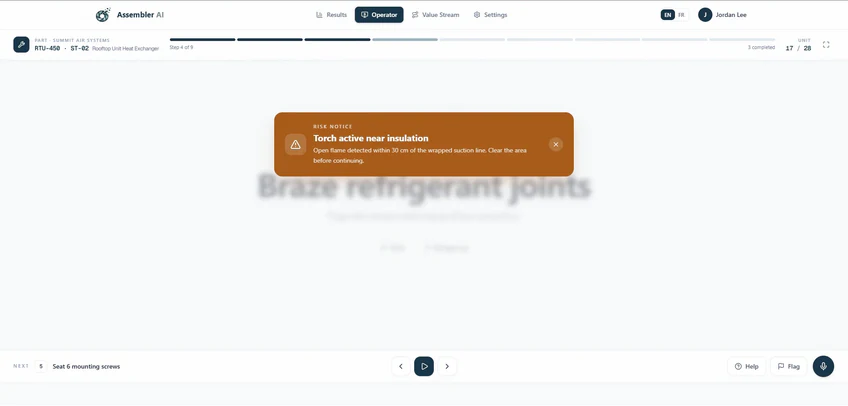
FIRST
The operator
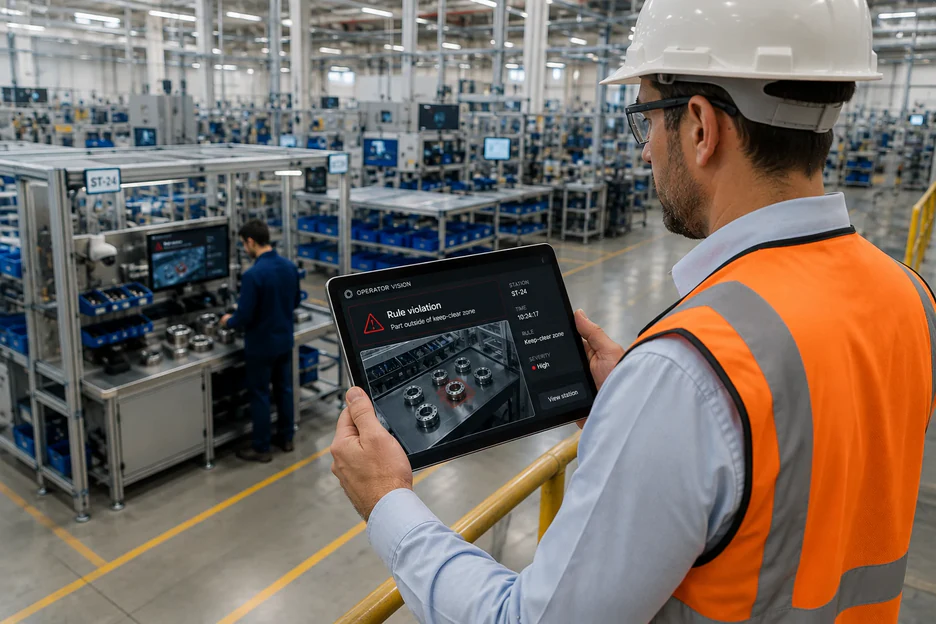
The alert reaches the station the moment it fires, while the piece is still at the bench and the fix costs a few seconds of extra work. The station screen shows what triggered it and gives the operator a way to respond, acknowledge, or tell engineering the rule needs adjusting.
Next
Your supervisor
If it isn’t handled at the station, the alert escalates with the video attached, while there’s still time to hold the unit rather than chase it downstream.
ALWAYS
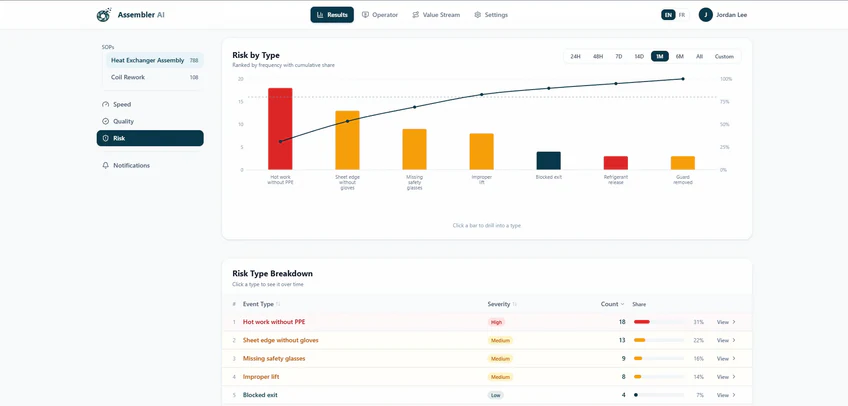
The dashboard
Every event lands in the record whether it was fixed in five seconds or escalated to a manager. One alert is noise. The same alert forty times on second shift is a finding.
Operator Vision only sends alerts it has high confidence in, because an alerting system no one trusts is worse than no alerting system. Assembler AI works through the early weeks alongside your team, setting which events matter, who receives them, and what happens next. If something you care about isn’t reaching anyone, the threshold opens up. If a rule is firing on noise, it tightens.
The afternoon in the conference room becomes a video
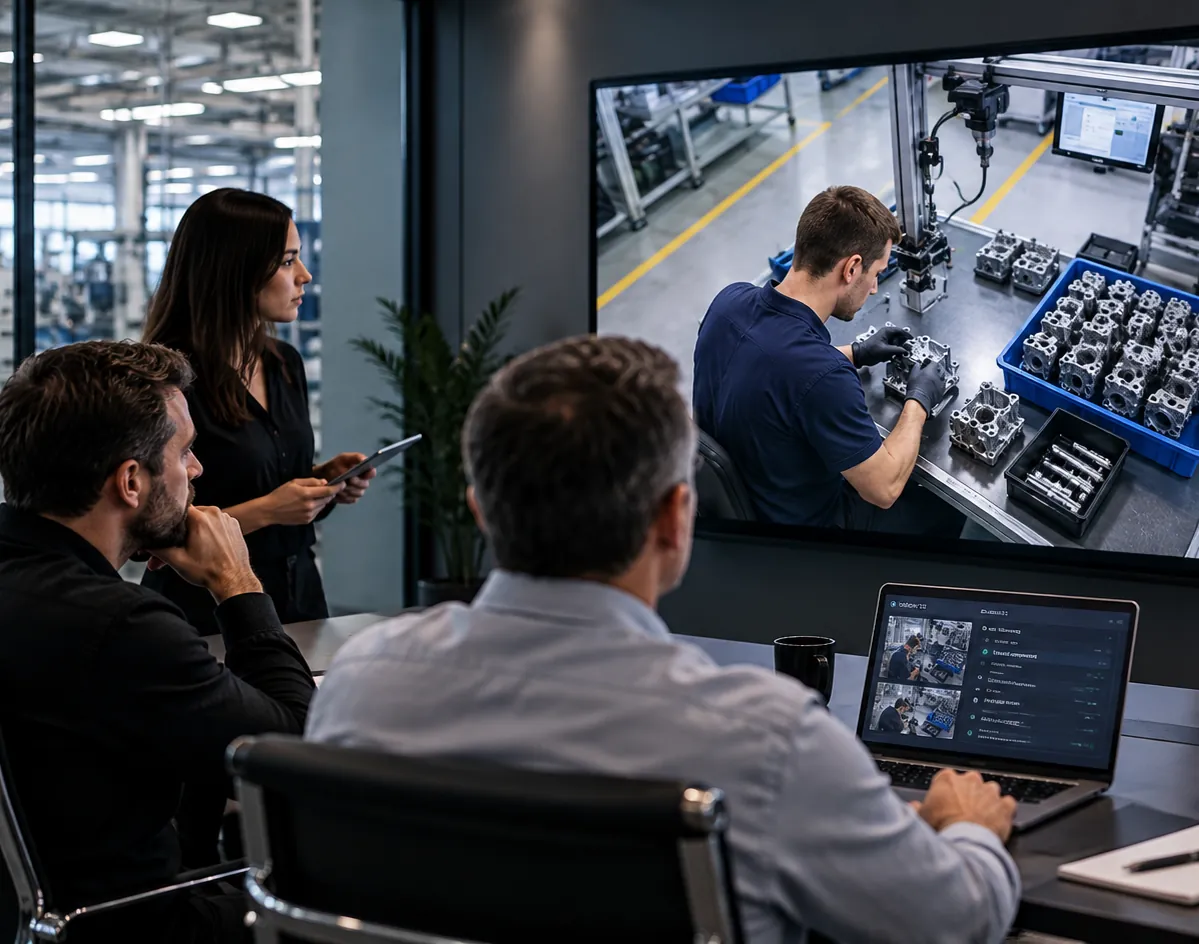
When a defect surfaces, the question is always the same. Which unit, which station, which step, and what actually happened. Today that answer gets reconstructed. People sit in a room with travelers and paperwork, working backward from a finished part to a moment no one witnessed. It takes hours and the conclusion is a best guess. Operator Vision holds the video for every flagged cycle at that station, indexed by step and timestamped. You pull up the cycle, watch the step, and the argument ends. Root cause analysis that used to hold a room until eight at night resolves in minutes, and the corrective action is aimed at something you can see rather than something you inferred. The same record answers the question your customer asks during an audit, which is not whether you have a procedure but whether it was followed on the units they bought.
Where the number actually moves
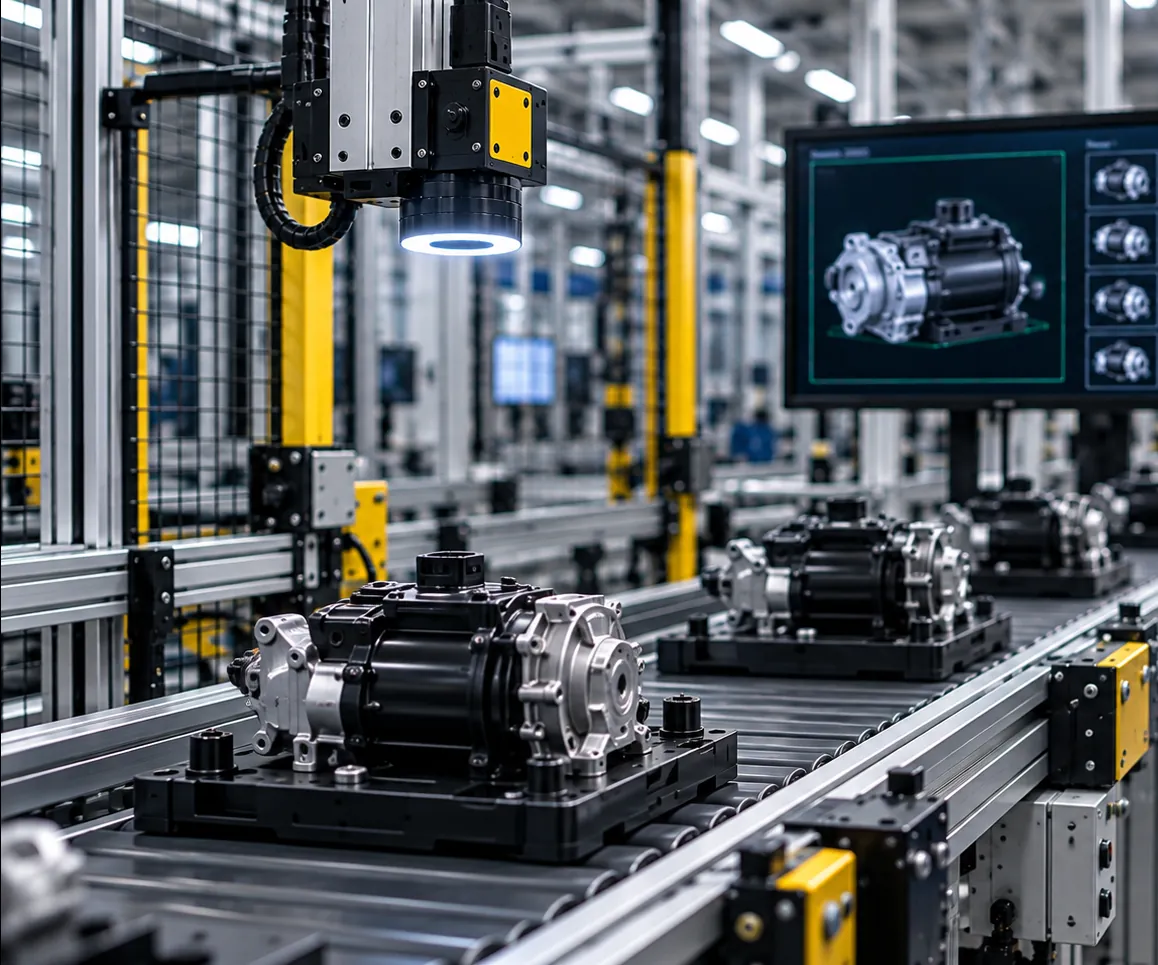
First pass yield on a new product tends to start in the mid sixties and climb as the line learns. That climb is mostly people discovering, one defect at a time, which parts of the procedure matter. Operator Vision compresses that. Every deviation gets caught on the cycle it happens, so the learning curve runs on days rather than months, and the defects that would have taught the lesson never leave the station. On a mature line the pattern is different. Rejection settles at a low percentage and stays there, and no one can say why it doesn’t go lower. Step-level data answers that, because the residual defects turn out to concentrate in a handful of steps on a handful of shifts.
Where quality alerts earn their keep first
Aerospace and defense
Parts worth tens of thousands of dollars where an error means rework, retest, and a slow hunt for the cause.
See aerospaceAutomotive components
Mirror-image variants, counts per pallet, and a customer who finds every escape
See automotiveMedical devices
Sequence and execution under GMP, where the record matters as much as the build
See medical devicesHVAC
High mix, configurations that change by the order, and the wrong part in the right box
See HVAC
If an operator at the station could see it, so can Operator Vision
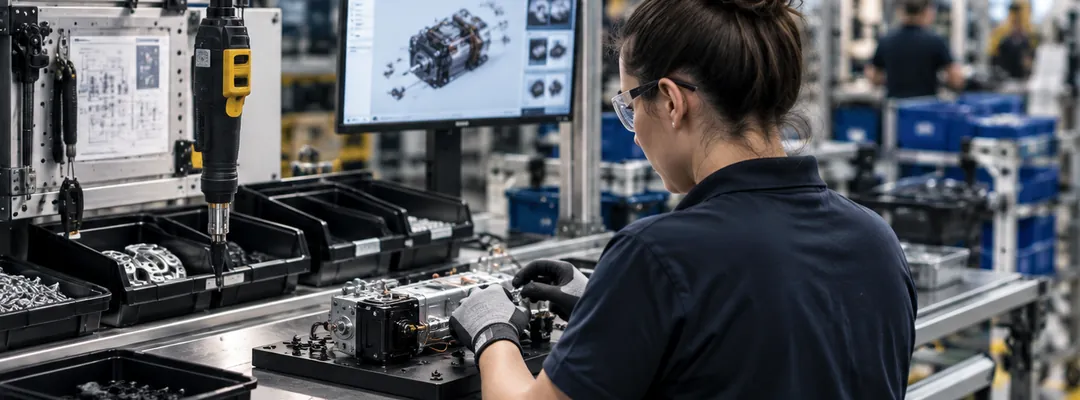
Anything visible at the station
Steps, sequence, parts, tools, placement, counts, and timing, on every cycle rather than on the ones somebody sampled.
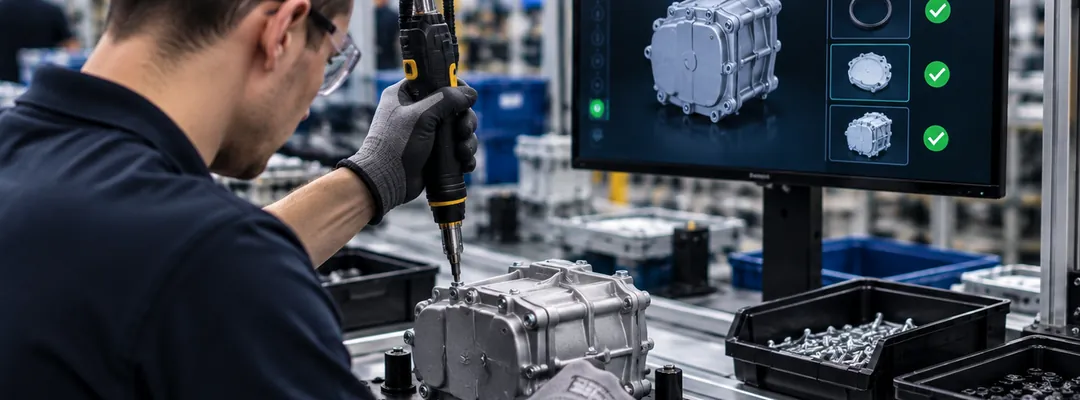
What sits inside a closed housing
Not visible to a supervisor standing there either, so it isn’t visible to the camera. What gets checked is the sequence that put it there.
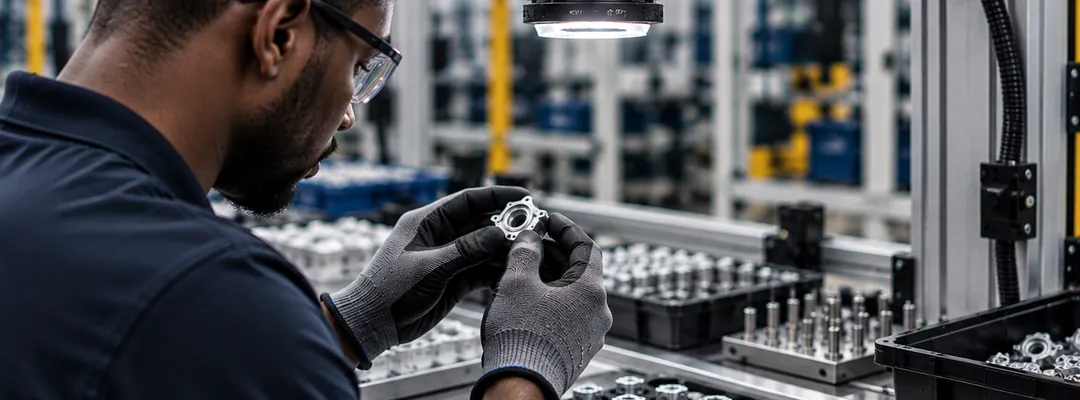
Detail at the scale your station allows
Very small parts and fine markings depend on camera position, and Assembler AI confirms what’s resolvable during calibration rather than after go-live.
Two weeks to a live station
Send your work instructions on day one. The camera goes up in week one, NDAA-compliant hardware Assembler AI supplies and provisions on its own subnet, streaming out over an encrypted VPN. Week two is calibration and training the model on your alerts. Anything the camera sees that your paperwork doesn’t account for gets settled with your team before a rule goes live on day fifteen. That’s two weeks on a station with one operator, closer to three where several people share a bench. Stations after the first go up in parallel, so covering a line or a plant is measured in weeks rather than one station at a time.
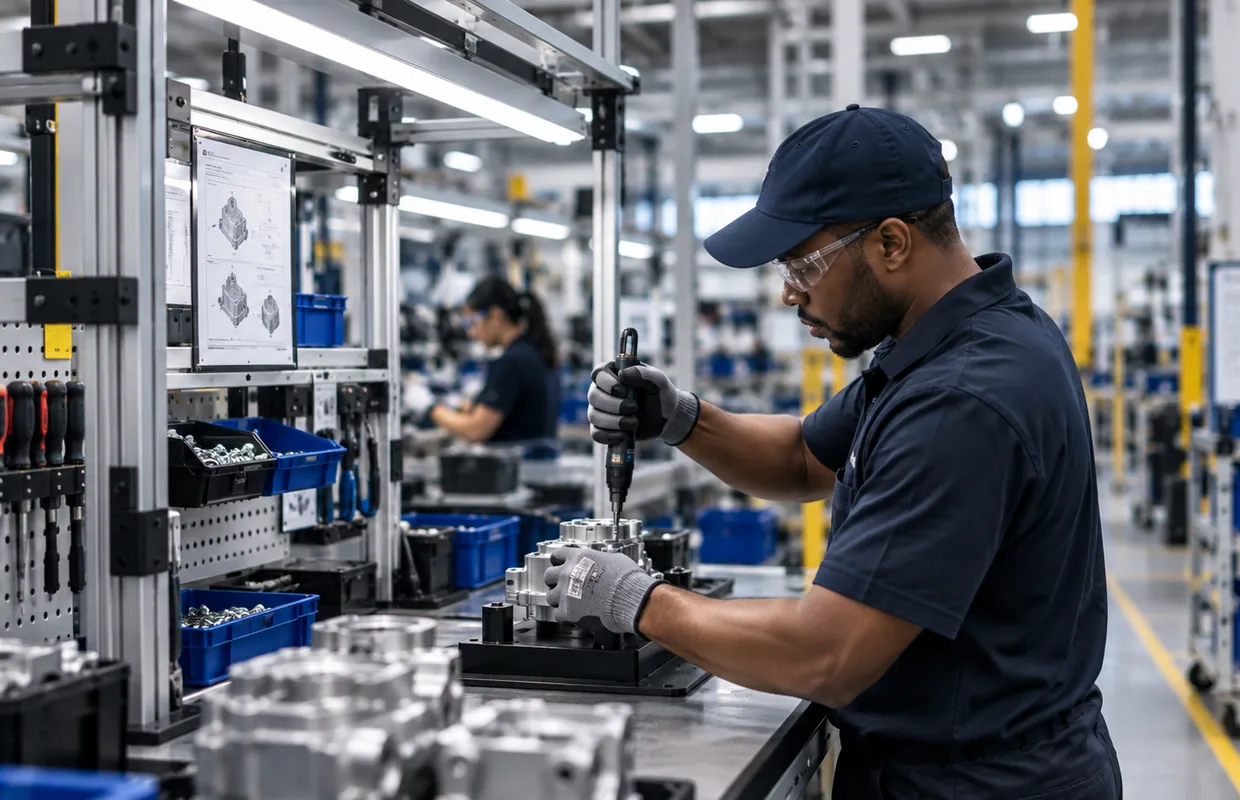
Start with one station. The data gets more valuable with every one you add
No one instruments a plant on a vendor’s promise. So you start small, with the station producing the most rework or the most escapes. Two weeks later you know what’s actually happening on every cycle, on your own parts, with video.
What happens after is worth understanding before you begin. This data is comparative, so every station you add makes the ones you already have more useful.
One station
Which steps get missed, how often, and on which shift
The line
The same check across several benches shows you whether a defect is one station’s
The factory
Shifts and cells compare against each other. First pass yield stops being a monthly number and becomes a live one you can trace to a step.
Across sites
The same build in two plants becomes comparable for the first time. A defect one plant has solved becomes a solved defect everywhere, with video of what solved it.
If you’re heading toward multiple sites, tell Assembler AI early and we’ll scope single sign-on, role-based permissions, and per-site data separation with your IT and HR teams while the first station runs.
Questions your team will ask
Assembler AI assumes they might be. The first two weeks are calibration, comparing footage to the document and settling the differences with your team before anything fires. Ghost steps and undocumented steps both turn up, and the usual outcome is that your work instructions get better before a single alert goes out.
Fewer than you’d expect, because Operator Vision only sends what it has high confidence in. Assembler AI works with your team through the early weeks to set which events matter and who receives them. If a rule fires on noise, it tightens. If something important isn’t getting through, it opens up.
Common, and it’s the environment Operator Vision was built for. Where your SKUs look visually different, Operator Vision identifies which one is in production and switches automatically as the station changes over.
Assembler AI’s proprietary manufacturing vision models start around 80 percent accuracy on a new station and reach the mid 90s after the initial calibration. Those first two weeks are what get it there on your parts rather than in a demo.
The operator gets the alert at the station. Supervisors get it by email with the video attached. Everything lands on the dashboard either way, and you decide who sits on which list.
If the steps stay the same, a new part shape is usually fine, and new variants get taught the same way. If the steps change, you upload the new work instructions and Operator Vision is retrained against them.
Yes. Dashboards cover station, shift, and step, with time comparisons and CSV export for anything your team wants to take into its own reporting.
Put it on the station that generates the most rework
One camera, two weeks, and you’ll know which step is producing your defects instead of guessing at it.
No MES integration required, and it scales easily across your sites.
Insights on how manufacturers are using Assembler AI to boost cycle time and quality
Stay updated with the latest news, ideas, and product updates.