
Catch it at the first station, not the fourth
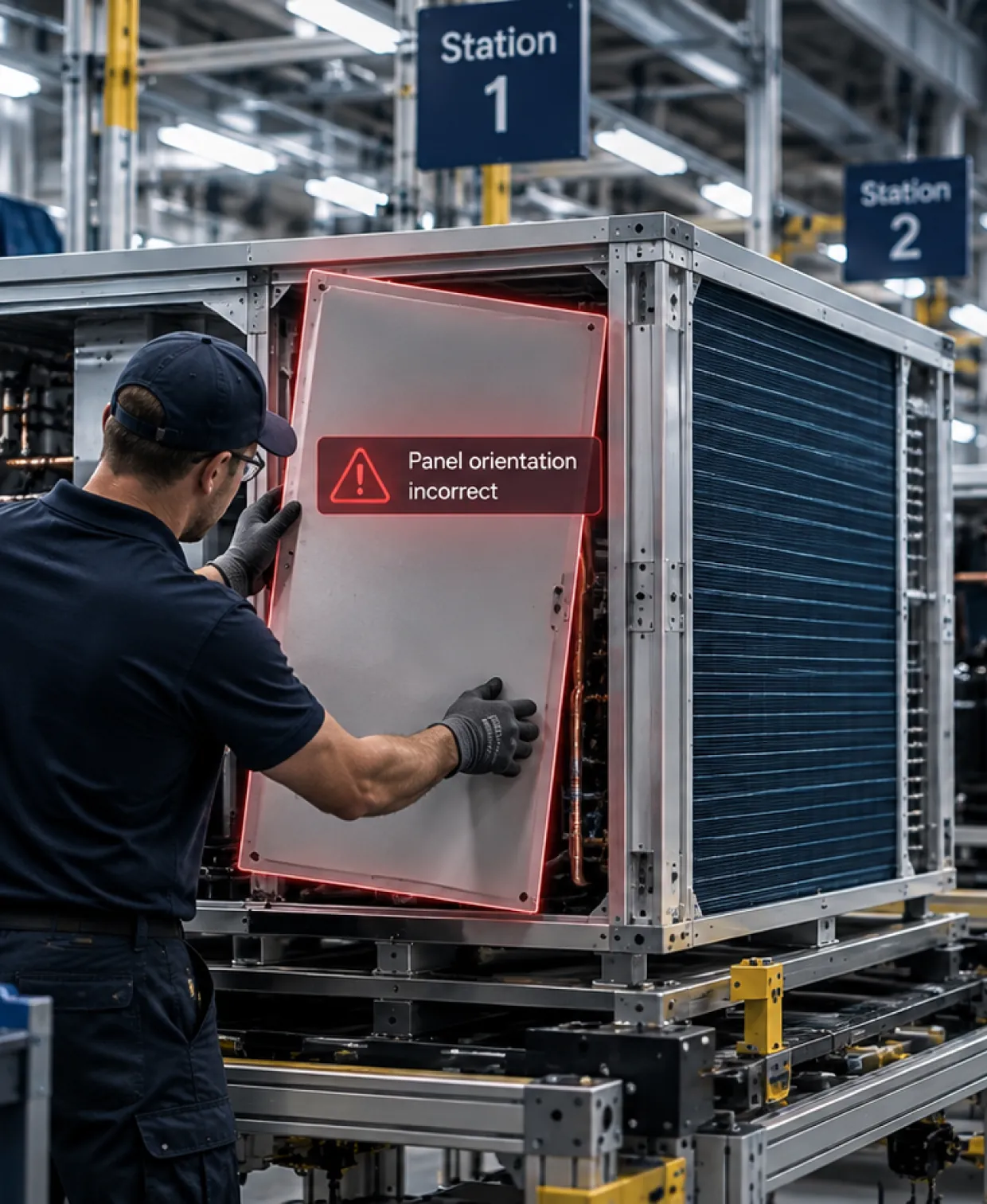
A large unit moves station to station, and a panel goes on the wrong way at the first one. No one catches it until three stations later, when the correction means undoing everything since. Operator Vision checks each step against the work instructions for the SKU actually being built, and the operator is alerted while the unit is still at that station.
Live in two weeks. No MES integration required. Your work instructions are the only input Operator Vision needs.
High mix, thin margins, and ten SKUs that look almost the same
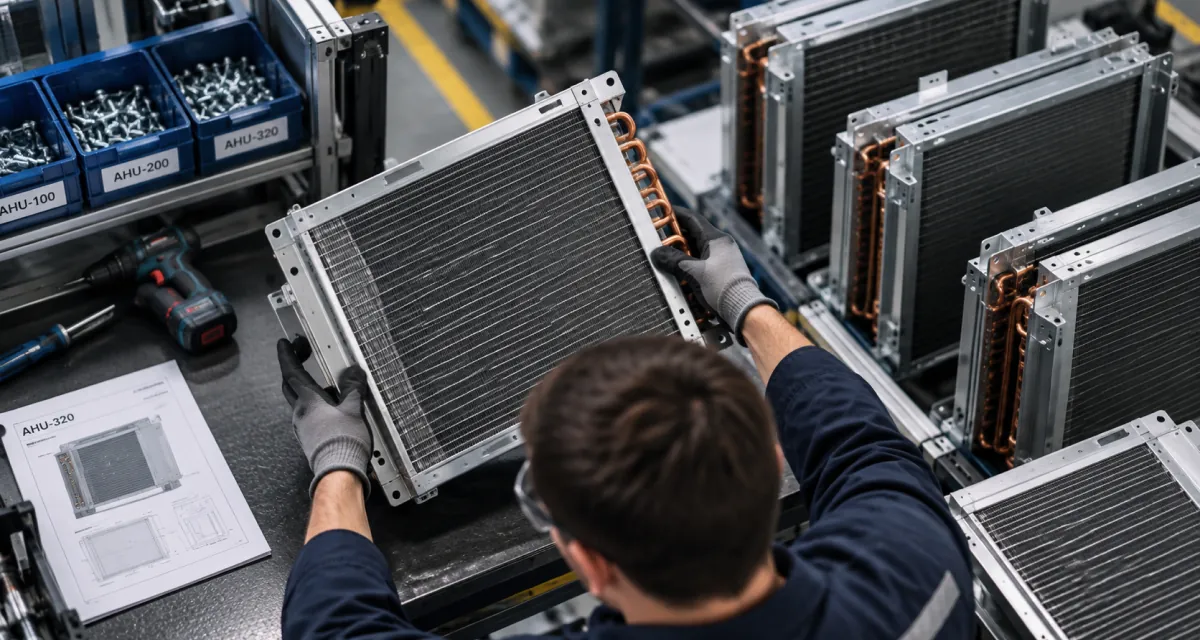
A chiller line might run ten SKUs. They share most of their steps, they use panels and coils that look alike on a bench, and they run in batches through the same stations with the same operators. That’s the mix most HVAC plants live in, and it’s precisely the mix that produces the wrong panel on the right unit. Your operators work from method sheets written by engineers who aren’t on the floor, and the sheet for this SKU is one of dozens. Some of it gets read carefully. Some of it gets remembered from the last unit that looked similar, which is not the same thing. Margins don’t leave room for either the rework or the hours spent avoiding it. And automation isn’t the answer at volumes in the hundreds or the low thousands per SKU.
The defects that compound down the line
The wrong panel for this SKU
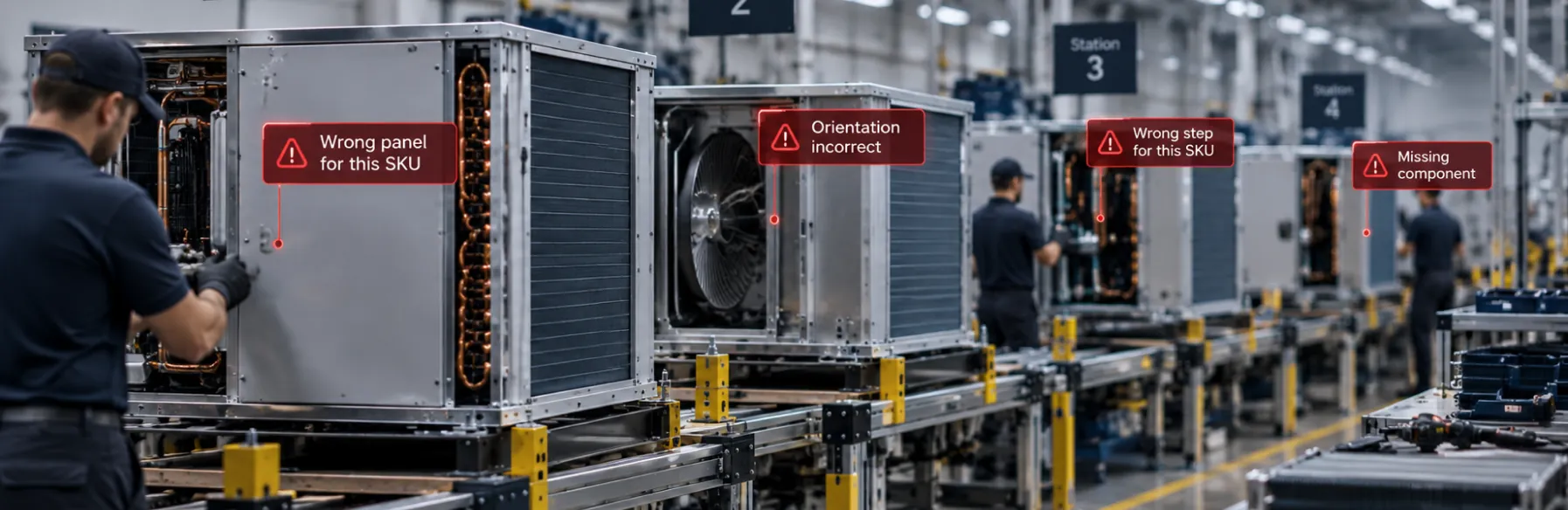
Two SKUs differ in ways that look small on a drawing and matter on a finished unit. The panel fits, so nothing downstream stops the build
Orientation
A panel or a wall goes on backward or upside down at an early station. It’s correct in every other respect, which is why it survives until something later doesn’t fit.
A step that belongs to a different SKU
Shared steps make it easy to run the sequence you ran on the last batch rather than the one this SKU calls for.
Time lost looking for the right instructions
Method sheets buried in a document system, printed at the wrong revision, or sitting on paper at the station while engineering has moved on. Hours a week disappear into finding out which sheet applies to this SKU.
Defects that travel
On a unit assembled station to station, an error at station one gets discovered at station four, and the fix means undoing three stations of work.
What the work is costing before anyone measures it
- 50–70%
- of scrap at high-mix, low-volume manufacturers traces back to how the work was performed, rather than to suppliers or design
- 15–30%
- of throughput lost when operators drift from the standard
- Half
- the time your continuous improvement engineers spend on manual time studies, given back. That’s the target Assembler AI builds to.
One camera feed. All four modules
What the work is costing before anyone measures it
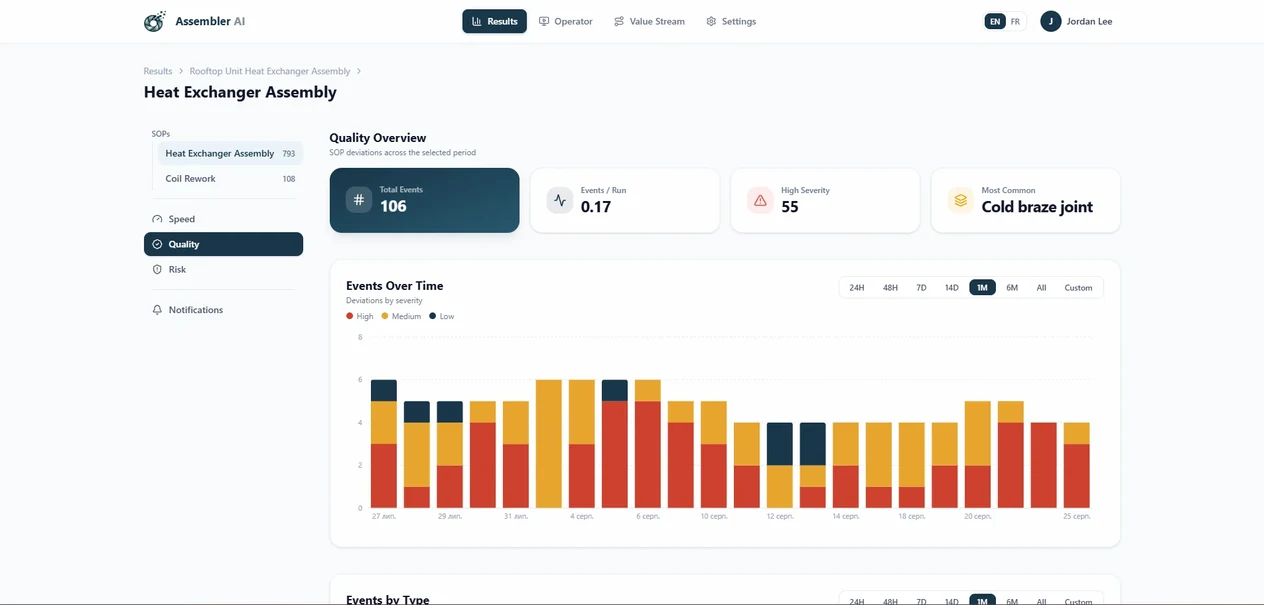
Real-Time Quality Alerts
Every step confirmed or flagged against the work instructions for the SKU actually being built. Wrong panel, wrong orientation, missing component, broken sequence, caught at the station that produced it rather than three stations later.
Explore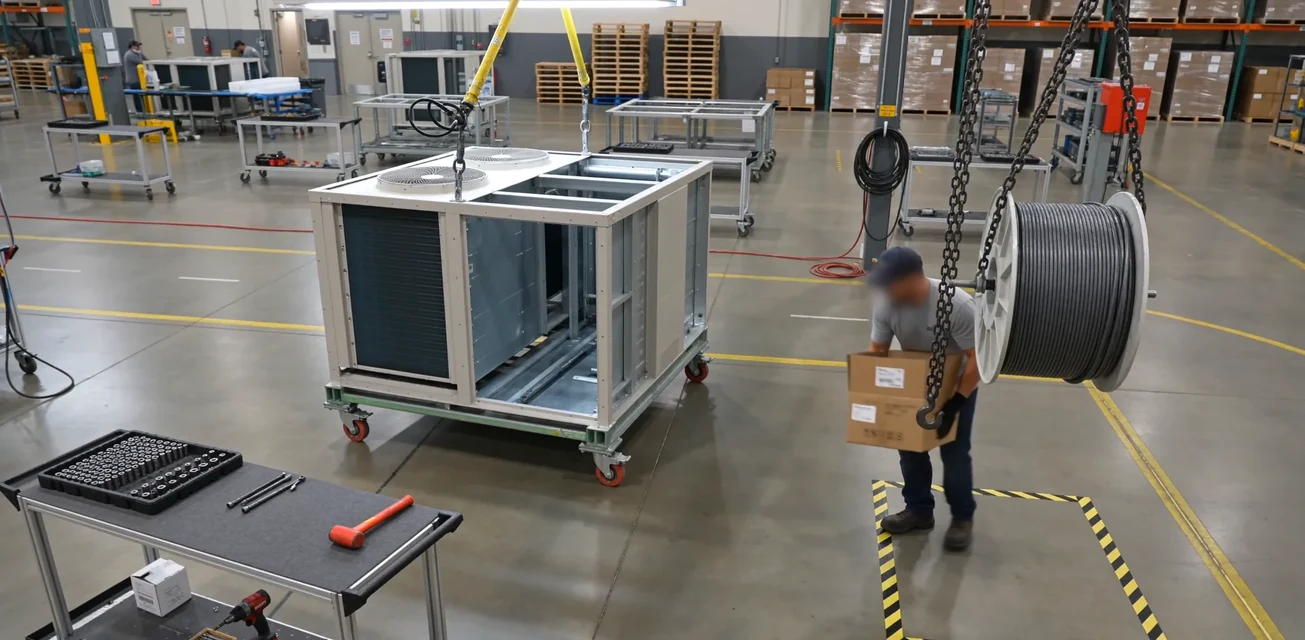
Real-Time Operator Guidance
A screen at the station that alerts the operator the moment a step is wrong for this SKU, so it gets corrected before the unit moves. It also logs the build as it happens, so no one is recording steps by hand at the end of a shift.
Explore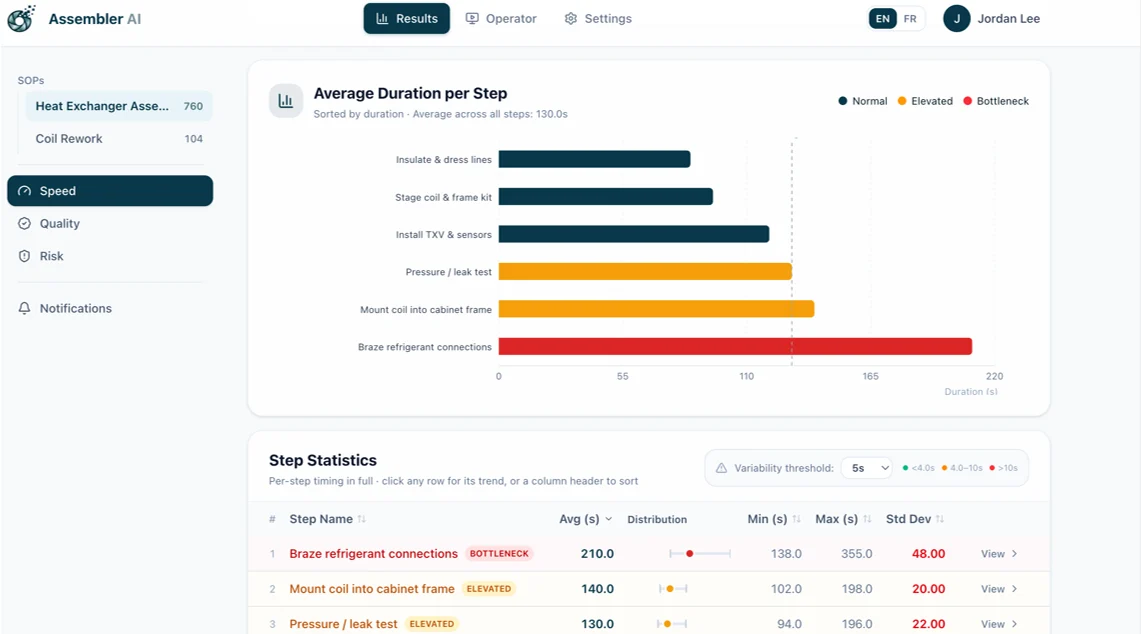
Continuous Improvement Insights
Step-level times across every station and every SKU, with video on every outlier. Ten SKUs sharing a line is the first time you can compare like with like and see which ones actually cost you time.
Explore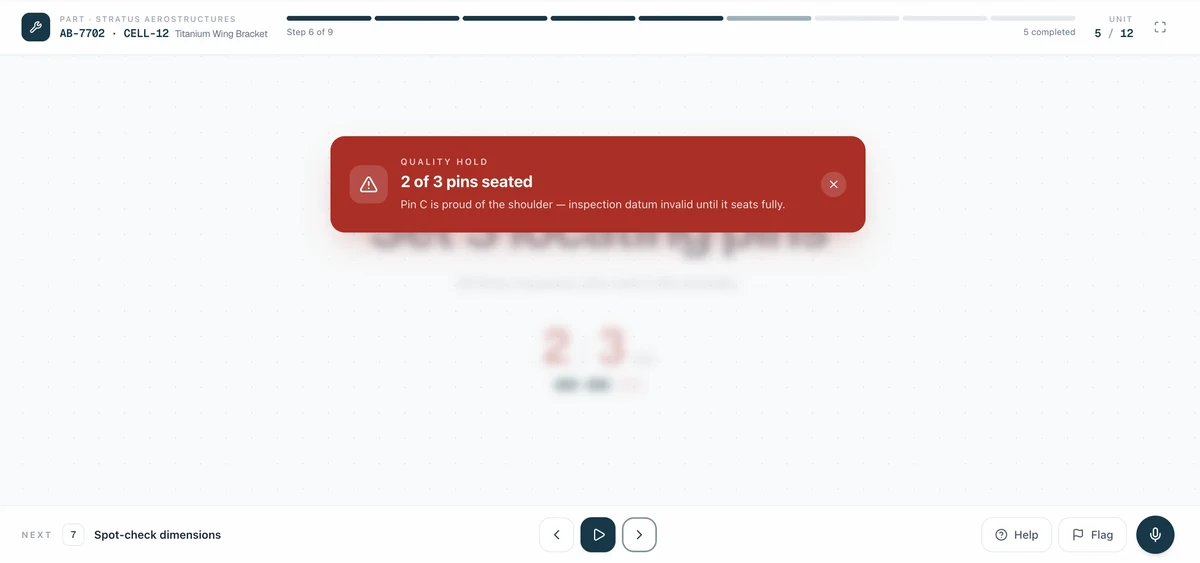
Real-Time Risk Detection
The list your method sheets never cover. Handling on finished surfaces, staging discipline between stations, and work accumulating faster than it clears.
ExploreWho this is for, and what they get
Quality
Every SKU checked against its own work instructions on every unit, not on the ones somebody sampled. When a defect surfaces, the video of the actual cycle is one click from the alert, so root cause stops being a reconstruction from memory.
Continuous improvement
A time study that runs itself across every station and every SKU, instead of a quarterly pass that can only cover the builds that happened to be running that week. Step-level variance with video on every outlier, and improvement tracking that shows what each change actually did.
Operations leadership
Every station and every shift on one screen, with the ability to compare cells, shifts, and plants. On thin margins, scrap and rework carry a shop rate, and the data ties both back to the step that produced them
Operators and production managers
The right instructions arrive at the station instead of being hunted for, and the correction arrives while it still costs seconds. Faces are blurred, no names or IDs are collected, and the footage protects the operator who did the job right as often as it flags the one who didn’t.
Where this runs in an HVAC plant
01Assembly and subassembly
Sequence, fasteners, orientation, missing components
See assembly02Inspection benches
Dwell time, both sides of the part, scrap and pass counts without a clipboard
See inspection03CNC and machining cells
Setup, tool change, orientation, measurement, deburr, final check
See CNC04Kitting and packaging
The right components for this SKU, in the right count, in the right container
See assembly
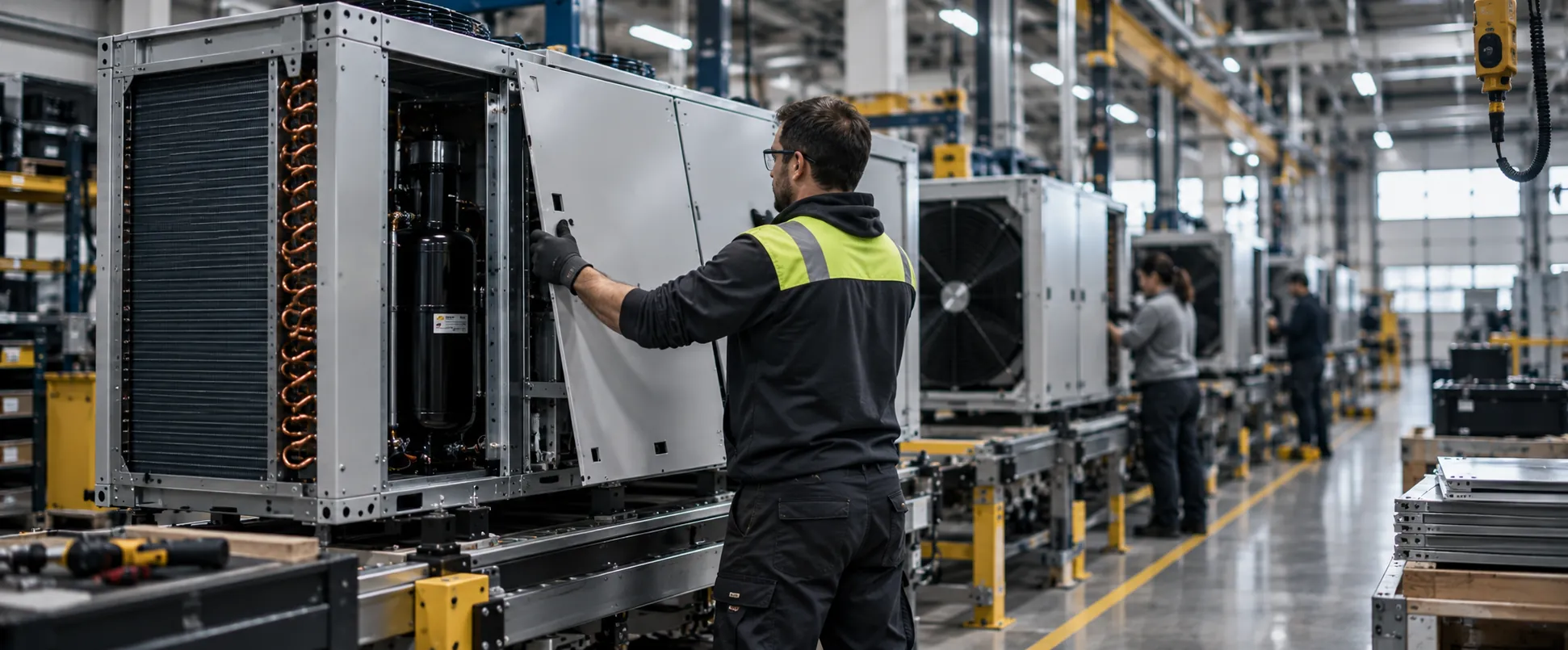
Ten SKUs on one line. That’s the objection, and it’s the reason to do it.
See what deployment looks likeThe first question a high-mix manufacturer asks is whether a camera can learn a line where the unit changes between batches. It’s the right question.
What Operator Vision learns is the station and the steps, not one finished product. SKUs that share a step share the check. Where SKUs look visually different, Operator Vision identifies which one is in production and switches automatically as the line changes over, across as many as ten on the same line. SKUs that look nearly identical get taught during calibration, and Assembler AI will tell you straight what your particular mix means for that.
The reason it’s worth doing is the same reason it’s hard. When ten SKUs share a bench and differ by a panel, the mistake is easy to make and almost impossible to catch by eye. A camera that checks every cycle against the sheet for that SKU is the only thing that closes it.
Station size. One camera covers a station roughly ten feet by ten feet. Larger stations get multiple cameras, and Assembler AI works out the coverage with you at the site visit rather than leaving you to find a gap in week three.
Two weeks, and the build doesn’t stop
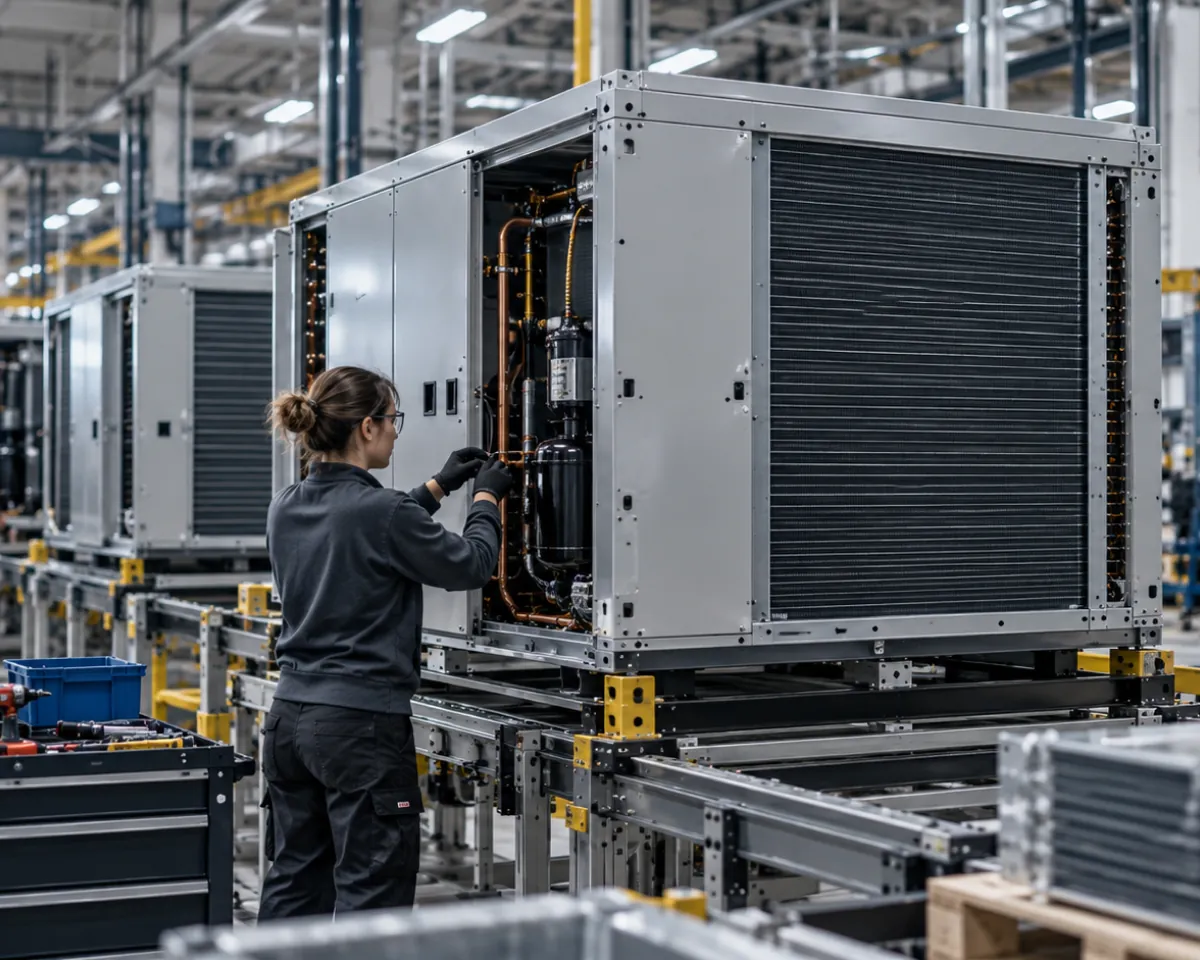
Send the work instructions you already have on day one, and if a station has none written down, Assembler AI will work with you to create them. The camera goes up in week one, NDAA-compliant hardware Assembler AI supplies and provisions, on its own subnet, streaming out over an encrypted VPN. Nothing about the station changes. Week two is calibration and training the model on your alerts. Anything the camera sees that your method sheets don’t account for gets settled with your team before a rule goes live on day fifteen. That’s two weeks on a station with one operator, closer to three where several people share a station. Stations after the first go up in parallel, so covering a product line is measured in weeks rather than one station at a time.
See what deployment looks likeStart with one station. The data gets more valuable with every one you add
No one instruments a plant on a vendor’s promise. So you start small, with the station where errors surface latest or the SKU mix changes most often. Two weeks later you have step-level data on your own builds.
What happens after is worth understanding before you begin. This data is comparative, so every station you add makes the ones you already have more useful.
One station
What happens after is worth understanding before you begin. This data is comparative, so every station you add makes the ones you already have more useful.
The build line
On a station-to-station build, instrumenting the whole line is what turns a defect found at station four into a defect stopped at station one. Stations running the same work also become directly comparable.
The factory
Shifts and product lines compare against each other, and a process change gets measured against how that station ran before it.
Across sites
The same unit built in two plants becomes comparable for the first time, with video from both. The best method in your group becomes the standard across it.
The same unit built in two plants becomes comparable for the first time, with video from both. The best method in your group becomes the standard across it.
Questions your team will ask
No, and it’s the environment Operator Vision was built for. It learns the station and the steps rather than one finished product, and where SKUs look visually different it identifies which one is running and switches automatically as the line changes over.
Both are normal and both turn up in the first two weeks. Calibration compares the footage to the document, and what usually surfaces is a mix of steps no one performs any more and steps your operators do that the sheet never captured.
That’s the build this page is written for. Each station is instrumented independently and the data joins up across the line. Where a station is bigger than one camera covers, or an operator works both sides of a unit, it gets multiple cameras.
One camera covers roughly ten feet by ten feet. Larger stations are handled with multiple cameras, and Assembler AI works out the coverage with you at the site visit.
They don’t have to work it like a document. The camera logs the build as it happens, so no one is recording steps by hand, and the screen speaks up only when something is wrong for this SKU. On the floor the reaction is usually to the paperwork it removes before anything else.
No. Your work instructions are the only required input. Assembler AI provides MES and ERP integrations when you want data flowing both ways.
Assembler AI’s proprietary manufacturing vision models start around 80 percent accuracy on a new station and reach the mid 90s after the initial calibration. Those first two weeks are what get it there on your builds rather than in a demo.
You do. Encrypted in transit and at rest, isolated per customer, default twelve-month retention you can change or export from at any time.
Pick the station where mistakes travel furthest
Bring us the one where an error at the start isn’t found until the end. Operator Vision goes live in two weeks and you’ll see how often it’s happening, on your own units, with video.
No MES integration required, and it scales easily across your sites.